You have no items in your shopping cart.
Course Details
Course Details
What You'll Learn
Topic 1: Get Started on Python
Overview of Python
Install Python
Install Python IDE
Code Your First Python Script
Comment
Topic 2: Data Types
Number
String
List
Tuple
Dictionary
Set
Topic 3: Operators
Arithmetic Operators
Compound Operators
Comparison Operators
Membership Operators
Logical Operators
Topic 4: Control Structure, Loop and Comprehension
Conditional
Loop
Iterating Over Multiple Sequences
Comprehension
Topic 5: Function
Function Syntax
Return Values
Default Arguments
Variable Arguments
Lambda, Map, Filter
Topic 6: Modules & Packages
Import Modules and Packages
Python Standard Packages
Third Party Packages
Assessment
- Written Exam
- Practical Exam
Course Info
Minimum Entry Requirement
Knowledge and Skills
- Able to operate using computer functions with minimum Computer Literacy Level 2 based on ICAS Computer Skills Assessment Framework
- Minimum 3 GCE ‘O’ Levels Passes including English or WPL Level 5 (Average of Reading, Listening, Speaking & Writing Scores)
Attitude
- Positive Learning Attitude
- Enthusiastic Learner
Experience
- Minimum of 1 year of working experience.
- Minimum 18 years old
Minimum Software/Hardware Requirement
Software:
You will need the following for this course:
- Python 3 – free
- Visual Studio Code – free
- Google Colab – free, runs in the browser with a Google account
Hardware: Windows PC or Mac laptop
Funding Eligibility Criteria
Self-sponsored learners (individuals)
- Singapore Citizens and Singapore Permanent Residents aged 21 and above.
- Up to 50% course fee funding. Singapore Citizens aged 40 and above receive up to 70% under the Mid-career Enhanced Subsidy (MCES).
- Singapore Citizens aged 25 and above can pay the remaining fee with SkillsFuture Credit.
Company-sponsored learners
- Singapore Citizens and Singapore Permanent Residents who are direct employees of the sponsoring company.
- Up to 50% course fee funding, or up to 70% for employees of SMEs (Enhanced Training Support for SMEs) and for Singapore Citizens aged 40 and above. An SME has no more than 200 employees or an annual turnover of no more than $100 million.
- Employers can also claim Absentee Payroll funding for employees who attend during working hours.
- Eligible companies can offset their out-of-pocket fees with SkillsFuture Enterprise Credit (SFEC).
Conditions for all funded learners
- Attendance is taken digitally with Singpass for every session, including the assessment.
- You must complete the course and pass all assessments (assessed as Competent).
- If these conditions are not met, the funding is clawed back and the learner or employer pays the full course fee.
- 9% GST is charged on the full course fee before funding.
- Promo and discount codes cannot be used on funded courses.
- Any balance after funding can be paid in cash, with SkillsFuture Credit, with PSEA (Singapore Citizens with a PSEA), or partly reimbursed by UTAP for NTUC members.
How to Apply SkillsFuture Credit Claim for Individuals
Singapore Citizens aged 25 and above can use their SkillsFuture Credit (base tier) to pay the course fee after funding. The $4,000 mid-career top-up cannot be used for this course.
- Register for this course as self-sponsored and tell us you will use SkillsFuture Credit. Do not pay the amount you plan to claim.
- We email you an invoice showing the course fee after funding.
- From 60 days before the course starts, and no later than the course start date, log in to MySkillsFuture with Singpass and click Claim credits.
- Click Submit a Claim and search for this course by its course code, TGS-2019503161.
- Select your class start date, enter the course fee payable after funding and the amount of credit to claim, then upload the invoice (PDF, JPG or PNG, under 4MB).
- Review, accept the terms and click Agree and Submit. The credit is paid directly to us; processing can take up to 14 working days.
Changing or withdrawing: cancel the claim on MySkillsFuture at least one day before the course starts. If your class date changes, cancel the claim and submit a new one with the new date.
How to Apply SkillsFuture Enterprise Credit (SFEC)
SFEC helps companies pay for employee training. The current SFEC ends on 30 November 2026, and a redesigned SFEC starts on 1 December 2026.
Current SFEC: classes ending on or before 30 November 2026
- Eligible companies received a one-off $10,000 credit, notified by letter to their Corppass administrator. Eligibility generally required at least 3 Singapore Citizen or PR employees and Skills Development Levy contributions.
- SFEC covers up to 90% of the company's out-of-pocket course fee after other subsidies.
- Check your company's SFEC eligibility and balance on EnterpriseSG.
- Register your Singapore Citizen or PR employee for a class that ends by 30 November 2026, as company-sponsored, and pay the course fee after funding.
- Your employee attends and completes the course. We submit the attendance and assessment results to SWDA.
- No separate claim is needed. SFEC is calculated automatically once the course fee grant is approved and is paid quarterly to your company's IRAS GIRO or PayNow Corporate account.
Any unused balance of the current SFEC expires on 30 November 2026.
Redesigned SFEC from 1 December 2026
Companies with at least 3 resident employees receive a fresh $10,000 in an online SFEC wallet that offsets out-of-pocket fees upfront at enrolment, instead of reimbursing them afterwards. SWDA has not yet published the support rates and claim steps; see OurWorkforce or our SFEC guide.
How to Apply UTAP (NTUC Members)
NTUC members can claim 50% of the unfunded course fee under the Union Training Assistance Programme (UTAP), capped at $250 a year (aged below 40) or $500 a year (aged 40 and above). The cap is shared with UTAP claims for AI tool subscriptions.
Eligibility: you must be an NTUC member paying full membership fees, with your membership paid up before and during the course and when you claim. The course must not be fully paid for by your employer or another source.
- Make sure your NTUC membership is paid up before the course starts.
- Register for this course with us and pay the course fee after funding and SkillsFuture Credit.
- Attend at least 75% of the course and sit all assessments.
- Within 6 months after the course ends, go to the NTUC U Portal, open UTAP under E-services, log in with Singpass and choose Course Fee Claim.
- Enter the nett course fee you paid (after all subsidies and SkillsFuture Credit, including GST), and upload your invoice or receipt and your certificate or result slip (PDF, JPG or PNG, up to 5MB each).
- NTUC usually pays the claim within 4 weeks of submission.
Read more in our UTAP guide.
How to Apply PSEA
Singapore Citizens with a Post-Secondary Education Account (PSEA), which stays open until around the year you turn 31, can use it to pay the course fee after funding for PSEA-approved courses. You can also use a sibling's PSEA after your own has been used up.
- Check that this course shows the PSEA tag on its MySkillsFuture page.
- Check your PSEA balance on MOE's Student Finance System with Singpass.
- Download and complete the PSEA withdrawal form, then submit it to us.
- We submit the withdrawal request to MOE. You (and your sibling, if you are using their account) authorise it in the Student Finance System. Nothing is withdrawn without this authorisation.
- MOE pays us directly. If you have already paid, we refund the amount covered by PSEA.
More details: MOE PSEA overview.
How to Claim the Free AI Tools Subscription
Singapore Citizens aged 18 and above who complete this course can redeem a free 6-month subscription to ChatGPT Plus, Google AI Pro, Manus AI, Microsoft 365 Personal or Singtel AI Pass (six AI tools). The course must end on or after 16 September 2026, and each person can redeem one subscription only, however many eligible courses they take.
- Optionally, take the AI Ready Quiz on MySkillsFuture to check your AI readiness level.
- Enrol in this course, which carries the Free AI subscription label on MySkillsFuture.
- Attend and successfully complete all course requirements.
- Watch for the redemption email from SWDA with the subscription request form (check your spam folder).
- Choose your AI tool and submit the form within 60 days of receiving the email. You cannot change your choice afterwards.
- Follow the activation instructions in the confirmation email.
Full details: MySkillsFuture and our claim guide.
Appeal Process
If you disagree with an assessment decision, you have the right to appeal.
- When the assessor gives you feedback, say whether you agree with the outcome. If you agree, you and the assessor sign the Assessment Summary Record; if you disagree, do not sign it.
- Discuss the decision with the assessor or the assessment manager first.
- If you are still not satisfied, tell the assessor you intend to appeal. The assessor records this in the feedback section of the Assessment Summary Record and informs the assessment manager.
- Lodge your appeal within 7 days, giving your reasons, using the Candidate Appeal Form. The assessor can help you write and lodge it.
- An Assessment Appeal Panel reviews the information from you and the assessor and makes a decision. A record of the appeal and its outcome is kept.
- You will be told the outcome within 2 weeks of lodging the appeal. The panel's decision is final.
Job Roles
Job Roles
- Aspiring Software Developer
- Data Analyst
- Web Developer
- Automation Engineer
- Data Scientist
- System Administrator
- Bioinformatics Specialist
- Research Scientist
- Finance Professional
- Machine Learning Enthusiast
- GIS (Geographic Information System) Specialist
- IT Consultant
- Network Engineer
- Database Administrator
- Tech Entrepreneur.
Trainers
Trainers
Dr. Alvin Ang is a data scientist and data science educator with a PhD in Operations Research, an MSc in Logistics and a BEng in Mechatronics, Robotics and Automation Engineering, all from Nanyang Technological University. Operations research is the mathematics of better decisions, and his published work on Kanban production-control systems at IEEE conferences reflects the quantitative rigour he brings to every class. He has served as an IBM Data Science Instructor, a Research Fellow at NUS, a Principal Consultant in data science and an Assistant Professor of Mathematics at SP Jain School of Global Management, where he was named Mathematics Professor of the Year, and he lectured undergraduates in statistics and quantitative methods at SUSS. Since 2021 he has trained professionals at Tertiary Infotech in Python, R, SQL, statistics, Excel analytics, Tableau, Power BI, Apache Spark, machine learning and deep learning, and he founded DataFrens.sg, a community for data scientists in Singapore. An ACLP-certified adult educator, he is known for connecting technical concepts to practical, real-world applications, a strength echoed in hundreds of learner recommendations.
In WSQ - Python Fundamental Course for Beginners, Dr. Ang gives beginners a solid, practical start in Python, the core language of modern data science. Learners work through data types, operators, control structures, loops, functions and modules, and every example is tied to the everyday data tasks he uses Python for as a data scientist, so learners finish ready to move on to data analysis and automation.
Python is the language Dr. Alfred Ang reaches for whenever he wants to turn an idea into a working tool quickly, and he has used it to build data, AI and automation applications across his career. A full-stack AI developer, Agentic AI solution architect and corporate trainer, he serves as Managing Director, CIO, CTO and Chief Instructional Designer of Tertiary Infotech Academy Pte Ltd, and he founded Tertiary Courses to help working professionals pick up skills such as programming through WSQ and SkillsFuture-aligned courses. His GitHub portfolio of more than 300 public repositories includes several Python projects that grew from simple scripts: data-mining-ml-labs offers interactive Python and Streamlit labs for beginner data mining and machine learning; ssg-ato-generator is a Streamlit app that produces branded SOP Word documents with auto-extracted company details, org charts and flowcharts; and wsq-courseware-generator-claude-streamlit automates the creation of lesson plans, learner guides and assessment documents. His scientific training shaped a methodical approach to problem solving: he holds a B.Sc (Hons) in Physics from NUS, where he topped his cohort, an MSc in Electrical and Electronic Engineering from NTU and a PhD in Electrical Engineering from NUS, and he has published more than 20 peer-reviewed papers. He is also a Microsoft Certified Data Scientist (DP-100) and AI Engineer Associate (AI-102), an IBM certified instructor for the AI Practitioners course and an ACTA-certified trainer.
In the WSQ Python Fundamental Course for Beginners, Dr. Ang assumes no prior programming experience and builds confidence one concept at a time. Learners start by installing Python and an IDE, writing their first script and learning why comments matter, then move on to the core data types: numbers, strings, lists, tuples, dictionaries and sets. The course continues with arithmetic, compound, comparison, membership and logical operators, followed by control structures, loops, iterating over multiple sequences and comprehensions. Functions come next, including return values, default and variable arguments, and the lambda, map and filter pattern, before the final topic shows how to import modules and packages from the standard library and third-party sources. Throughout, he connects each concept to the practical scripts he writes himself, so learners see how a dictionary, a loop or a small function becomes part of a real data or automation task rather than a textbook exercise. He encourages learners to type every example, read error messages carefully and experiment with small changes, because that habit is what turns beginners into self-sufficient programmers. As a DACE-certified curriculum developer, he sequences the exercises so that each one reuses earlier skills, and he gives extra support to learners from non-technical backgrounds. Learners finish able to write, read and debug basic Python programs and are ready to progress to data analysis, automation or AI. Short practice challenges at the end of each topic help learners consolidate what they have learnt. To explore the Python projects he has built, explore his GitHub portfolio at https://github.com/alfredang and connect with him on LinkedIn at https://www.linkedin.com/in/angchewhoe/
Bernard Peh is a data scientist and principal trainer with more than two decades of expertise in data science, finance and investments. Since 2018 he has designed and delivered WSQ courses across major Accredited Training Organisations in Singapore, mentoring learners in Python programming, data analytics and applied AI. His technical proficiency spans Python, SQL, C/C++ and advanced Excel, and as Senior Partner and Lead Data Scientist at Big Data Venture Capital he works hands-on with data cleaning, feature engineering, ETL and visualisation. Bernard has also served as a keynote speaker and author in data science and investments, and has trained professionals at companies including Singtel, NCS and CapitaLand. He holds the WSQ ACLP.
WSQ - Python Fundamental Course for Beginners lays the foundation that later data analytics and AI work depends on. Bernard guides learners from installing Python and an IDE and writing a first script through data types, operators, control structures, loops and comprehensions, to functions, lambda, map and filter, and working with modules and packages. He emphasises hands-on practice, step-by-step coding exercises and real-world examples to build strong retention. Beginners leave with the problem-solving skills and confidence to keep progressing towards data analytics and AI applications.
Solomon Soh is a data scientist and AI trainer with a strong record of teaching and mentoring in Python programming, data analytics and machine learning. As a Data Science Trainer with IBM Singapore, he has coached teams on projects involving natural language processing, computer vision and chatbots, achieving a 96% learner satisfaction rating. His career spans roles at Workforce Optimizer, Certis Cisco, Ernst & Young and IQVIA, where he applied Python-driven analytics to improve operations and deliver insights. He holds a double degree in Economics and Psychology from Singapore Management University (Summa Cum Laude, with a triple major in Analytics), an MBA and a Master's in Financial Engineering.
In WSQ - Python Fundamental Course for Beginners, Solomon makes Python accessible to newcomers while building a foundation for later data science work. Learners get started by installing Python and an IDE and writing their first script, then cover data types including numbers, strings, lists, tuples, dictionaries and sets, followed by operators and control structures, loops and comprehensions. As a lead instructor for Le Wagon, Think Cloud Academy and AWS Educate, he emphasises clarity, applied practice and confidence-building, drawing on Kaggle and industry examples so beginners leave able to write and understand their own Python programs.
Shahul H. Maricar is a certified ACLP and MOE instructor with over a decade of experience in software systems integration, coding and adult training. His technical expertise spans Python, JavaScript, HTML/CSS and embedded systems, and his career includes roles at the National University of Singapore, where he supported research through systems integration and data analysis. He has since been a curriculum lead and trainer for organisations such as Tertiary Infotech, Marshall Cavendish Education and Sustainable Living Lab, designing curricula that range from introductory Python and JavaScript to robotics and data visualisation.
In WSQ - Python Fundamental Course for Beginners, Shahul draws on this experience to make programming approachable for newcomers. Learners get started with Python by installing Python and an IDE and coding their first script, then work with data types including numbers, strings, lists, tuples, dictionaries and sets. They go on to arithmetic, comparison, membership and logical operators, and to control structures, loops and comprehensions. His practical, solution-based teaching keeps every concept tied to hands-on exercises. Beginners leave with confidence in programming fundamentals, a solid foundation in Python and a mindset for continued learning and adaptability.
Review
Customer Reviews (548)
- might consider Review by Course Participant/Trainee
-
It is good as it is. It will be better if the instructor can go share the different kind of accepted answers for the final assessment. (Posted on 12/1/2019)1. Do you find the course meet your expectation? 2. Do you find the trainer knowledgeable in this subject? 3. How do you find the training environment - Will Recommend Review by Course Participant/Trainee
-
This course is too much for a beginner to absorb in 2 days. (Posted on 7/25/2019)1. Do you find the course meet your expectation? 2. Do you find the trainer knowledgeable in this subject? 3. How do you find the training environment - Will Recommend Review by Course Participant/Trainee
-
. (Posted on 6/28/2019)1. Do you find the course meet your expectation? 2. Do you find the trainer knowledgeable in this subject? 3. How do you find the training environment
Write Your Own Review
- Recommended Courses
- Related Courses
IBF - Data Analytics and Deep Learning for Financial Services
$1,600.00 (GST-exclusive)
$1,744.00
(GST-inclusive)
WSQ - Enhancing Online Presence with AI Powered Search Engine Optimization (SEO)
$750.00 (GST-exclusive)
$817.50
(GST-inclusive)
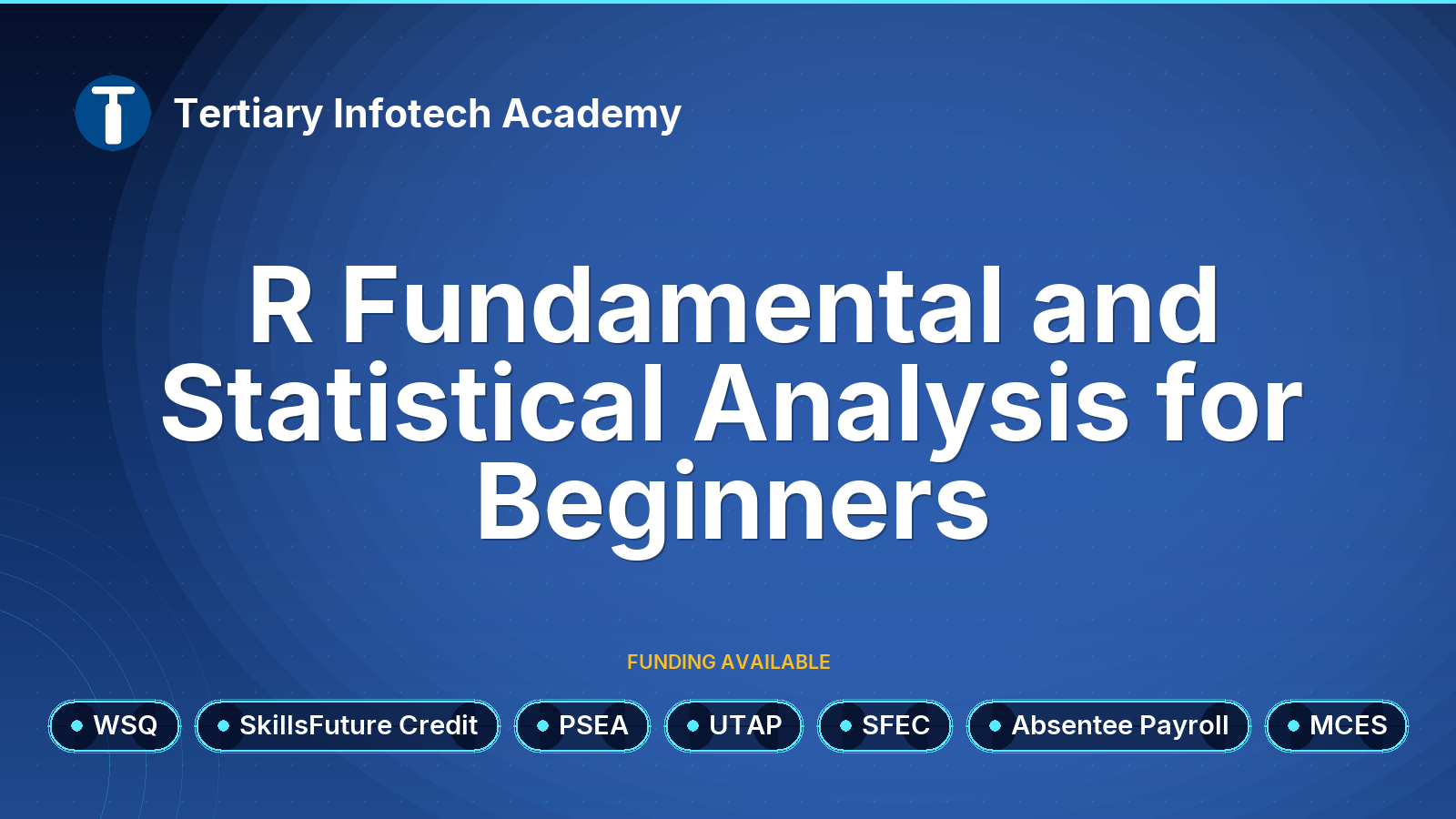
WSQ - R Fundamental and Statistical Analysis for Beginners
$750.00 (GST-exclusive)
$817.50
(GST-inclusive)