
You have no items in your shopping cart.
Course Details
Course Details
What You'll Learn
Topic 1: Discover data analysis
Overview of data analysis
Roles in data
Tasks of a data analyst
Topic 2: Get started building with Power BI
Use Power BI
Building blocks of Power BI
Tour and use the Power BI service
Topic 3: Get data in Power BI
Get data from files
Get data from relational data sources
Get data from a NoSQL database
Get data from online services
Select a storage mode
Get data from Azure Analysis Services
Fix performance issues
Resolve data import errors
Topic 4: Clean, transform, and load data in Power BI
Shape the initial data
Simplify the data structure
Evaluate and change column data types
Combine multiple tables into a single table
Profile data in Power BI
Use Advanced Editor to modify M code
Topic 5: Design a data model in Power BI
Get data from files
Get data from relational data sources
Get data from a NoSQL database
Get data from online services
Select a storage mode
Get data from Azure Analysis Services
Fix performance issues
Resolve data import errors
Topic 6: Introduction to creating measures using DAX in Power BI
Introduction to DA
Understand context
Use the Calculate function
Use relationships effectively
Create semi-additive measures
Work with time intelligence
Topic 7: Optimize a model for performance in Power BI
Introduction to performance optimization
Review performance of measures, relationships, and visuals
Use variables to improve performance and troubleshooting
Reduce cardinality
Optimize DirectQuery models with table level storage
Create and manage aggregations
Topic 8: Work with Power BI visuals
Introduction to work with Power BI visuals
Add visualization items to reports
Choose an effective visualization
Format and configure visualizations
Import a custom visual
Add an R or Python visual
Work with key performance indicators
Topic 9: Create a data-driven story with Power BI reports
Introduction to create a data-driven story with Power BI reports
Design a report layout
Add buttons, bookmarks, and selections
Design report navigation
Use basic interactions
Use advanced interactions and drill through
Configure conditional formatting
Apply slicing, filtering, and sorting
Publish and export reports
Comment on reports
Tune report performance
Optimize reports for mobile use
Topic 10: Create dashboards in Power BI
Introduction to dashboards
Configure data alerts
Explore data by asking questions
Add a dashboard theme
Pin a live report page to a dashboard
Configure a real-time dashboard
Configure data classification
Set mobile view
Topc 11: Perform analytics in Power BI
Introduction to analytics
Explore statistical summary
Identify outliers with Power BI visuals
Group and bin data for analysis
Apply clustering techniques
Conduct time series analysis
Use the Analyze feature
Use advanced analytics custom visuals
Review Quick insights
Apply AI Insights
Topic 12: Work with AI visuals in Power BI
Introduction to working with AI visuals
Use the Q&A visual
Find important factors with the Key influencers visual
Use the Decomposition Tree visual to break down a measure
Topic 13: Create and manage workspaces in Power BI
Distribute a report or dashboard
Monitor usage and performance
Recommend a development life cycle strategy
Troubleshoot data by viewing its lineage
Configure data protection
Topic 14: Manage datasets in Power BI
Create dynamic reports with parameters
Create what-if parameters
Use a Power BI gateway to connect to on-premises data sources
Configure a dataset scheduled refresh
Configure incremental refresh settings
Manage and promote datasets
Troubleshoot service connectivity
Topic 15: Implement row-level security
Configure row-level security with the static method
Configure row-level security with the dynamic method
Assessment
- Written Exam
- Practical Exam
Course Info
Minimum Entry Requirement
Knowledge and Skills
- Able to operate using computer functions with minimum Computer Literacy Level 2 based on ICAS Computer Skills Assessment Framework
- Minimum 3 GCE ‘O’ Levels Passes including English or WPL Level 5 (Average of Reading, Listening, Speaking & Writing Scores)
Attitude
- Positive Learning Attitude
- Enthusiastic Learner
Experience
- Minimum of 1 year of working experience.
- Minimum 18 years old
Minimum Software/Hardware Requirement
Software:
You will need the following for this course:
- Power BI Desktop – free, Windows only
Hardware: Windows PC or laptop (Power BI Desktop runs on Windows only)
Funding Eligibility Criteria
Self-sponsored learners (individuals)
- Singapore Citizens and Singapore Permanent Residents aged 21 and above.
- Up to 50% course fee funding. Singapore Citizens aged 40 and above receive up to 70% under the Mid-career Enhanced Subsidy (MCES).
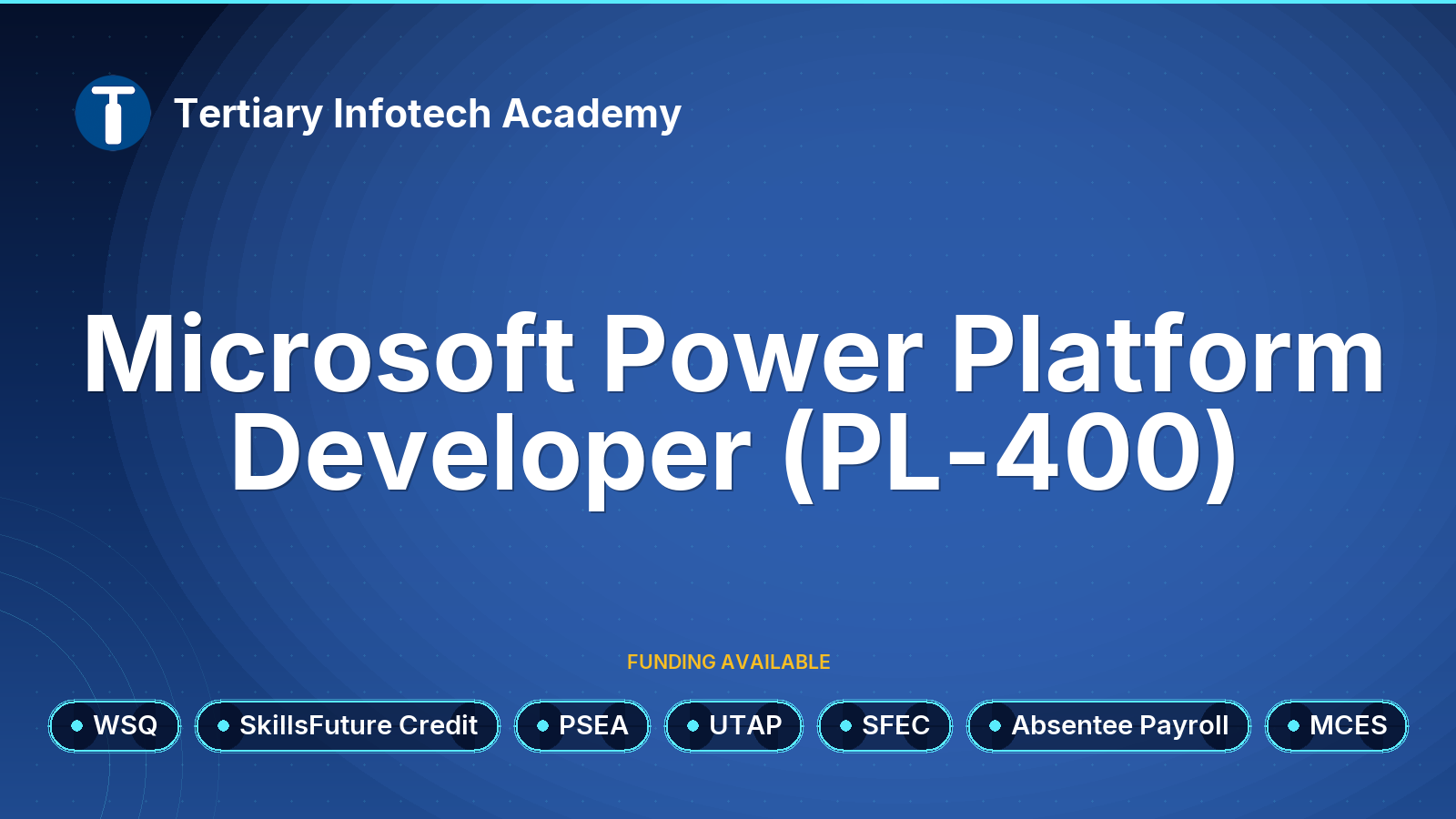
- Singapore Citizens aged 25 and above can pay the remaining fee with SkillsFuture Credit.
Company-sponsored learners
- Singapore Citizens and Singapore Permanent Residents who are direct employees of the sponsoring company.
- Up to 50% course fee funding, or up to 70% for employees of SMEs (Enhanced Training Support for SMEs) and for Singapore Citizens aged 40 and above. An SME has no more than 200 employees or an annual turnover of no more than $100 million.
- Employers can also claim Absentee Payroll funding for employees who attend during working hours.
- Eligible companies can offset their out-of-pocket fees with SkillsFuture Enterprise Credit (SFEC).
Conditions for all funded learners
- Attendance is taken digitally with Singpass for every session, including the assessment.
- You must complete the course and pass all assessments (assessed as Competent).
- If these conditions are not met, the funding is clawed back and the learner or employer pays the full course fee.
- 9% GST is charged on the full course fee before funding.
- Promo and discount codes cannot be used on funded courses.
- Any balance after funding can be paid in cash, with SkillsFuture Credit, with PSEA (Singapore Citizens with a PSEA), or partly reimbursed by UTAP for NTUC members.
How to Apply SkillsFuture Credit Claim for Individuals
Singapore Citizens aged 25 and above can use their SkillsFuture Credit (base tier) to pay the course fee after funding. The $4,000 mid-career top-up cannot be used for this course.
- Register for this course as self-sponsored and tell us you will use SkillsFuture Credit. Do not pay the amount you plan to claim.
- We email you an invoice showing the course fee after funding.
- From 60 days before the course starts, and no later than the course start date, log in to MySkillsFuture with Singpass and click Claim credits.
- Click Submit a Claim and search for this course by its course code, TGS-2023037468.
- Select your class start date, enter the course fee payable after funding and the amount of credit to claim, then upload the invoice (PDF, JPG or PNG, under 4MB).
- Review, accept the terms and click Agree and Submit. The credit is paid directly to us; processing can take up to 14 working days.
Changing or withdrawing: cancel the claim on MySkillsFuture at least one day before the course starts. If your class date changes, cancel the claim and submit a new one with the new date.
How to Apply SkillsFuture Enterprise Credit (SFEC)
SFEC helps companies pay for employee training. The current SFEC ends on 30 November 2026, and a redesigned SFEC starts on 1 December 2026.
Current SFEC: classes ending on or before 30 November 2026
- Eligible companies received a one-off $10,000 credit, notified by letter to their Corppass administrator. Eligibility generally required at least 3 Singapore Citizen or PR employees and Skills Development Levy contributions.
- SFEC covers up to 90% of the company's out-of-pocket course fee after other subsidies.
- Check your company's SFEC eligibility and balance on EnterpriseSG.
- Register your Singapore Citizen or PR employee for a class that ends by 30 November 2026, as company-sponsored, and pay the course fee after funding.
- Your employee attends and completes the course. We submit the attendance and assessment results to SWDA.
- No separate claim is needed. SFEC is calculated automatically once the course fee grant is approved and is paid quarterly to your company's IRAS GIRO or PayNow Corporate account.
Any unused balance of the current SFEC expires on 30 November 2026.
Redesigned SFEC from 1 December 2026
Companies with at least 3 resident employees receive a fresh $10,000 in an online SFEC wallet that offsets out-of-pocket fees upfront at enrolment, instead of reimbursing them afterwards. SWDA has not yet published the support rates and claim steps; see OurWorkforce or our SFEC guide.
How to Apply UTAP (NTUC Members)
NTUC members can claim 50% of the unfunded course fee under the Union Training Assistance Programme (UTAP), capped at $250 a year (aged below 40) or $500 a year (aged 40 and above). The cap is shared with UTAP claims for AI tool subscriptions.
Eligibility: you must be an NTUC member paying full membership fees, with your membership paid up before and during the course and when you claim. The course must not be fully paid for by your employer or another source.
- Make sure your NTUC membership is paid up before the course starts.
- Register for this course with us and pay the course fee after funding and SkillsFuture Credit.
- Attend at least 75% of the course and sit all assessments.
- Within 6 months after the course ends, go to the NTUC U Portal, open UTAP under E-services, log in with Singpass and choose Course Fee Claim.
- Enter the nett course fee you paid (after all subsidies and SkillsFuture Credit, including GST), and upload your invoice or receipt and your certificate or result slip (PDF, JPG or PNG, up to 5MB each).
- NTUC usually pays the claim within 4 weeks of submission.
Read more in our UTAP guide.
How to Apply PSEA
Singapore Citizens with a Post-Secondary Education Account (PSEA), which stays open until around the year you turn 31, can use it to pay the course fee after funding for PSEA-approved courses. You can also use a sibling's PSEA after your own has been used up.
- Check that this course shows the PSEA tag on its MySkillsFuture page.
- Check your PSEA balance on MOE's Student Finance System with Singpass.
- Download and complete the PSEA withdrawal form, then submit it to us.
- We submit the withdrawal request to MOE. You (and your sibling, if you are using their account) authorise it in the Student Finance System. Nothing is withdrawn without this authorisation.
- MOE pays us directly. If you have already paid, we refund the amount covered by PSEA.
More details: MOE PSEA overview.
Appeal Process
If you disagree with an assessment decision, you have the right to appeal.
- When the assessor gives you feedback, say whether you agree with the outcome. If you agree, you and the assessor sign the Assessment Summary Record; if you disagree, do not sign it.
- Discuss the decision with the assessor or the assessment manager first.
- If you are still not satisfied, tell the assessor you intend to appeal. The assessor records this in the feedback section of the Assessment Summary Record and informs the assessment manager.
- Lodge your appeal within 7 days, giving your reasons, using the Candidate Appeal Form. The assessor can help you write and lodge it.
- An Assessment Appeal Panel reviews the information from you and the assessor and makes a decision. A record of the appeal and its outcome is kept.
- You will be told the outcome within 2 weeks of lodging the appeal. The panel's decision is final.
Job Roles
Job Roles
- Data Analyst
- Business Intelligence Specialist
- Business Analyst
- Data Visualization Specialist
- Financial Analyst
- Marketing Analyst
- Reporting Specialist
- Operations Analyst
- Sales Operations Manager
- IT Manager (with reporting focus)
- Product Manager (data-driven products)
- Supply Chain Analyst
- Project Manager (with data reporting needs)
- HR Analytics Specialist
- CRM Administrator
Trainers
Trainers
Dr. Alvin Ang is a data scientist and data science educator with a PhD in Operations Research, an MSc in Logistics and a BEng in Mechatronics, Robotics and Automation Engineering, all from Nanyang Technological University. Operations research is the mathematics of better decisions, and his published work on Kanban production-control systems at IEEE conferences reflects the quantitative rigour he brings to every class. He has served as an IBM Data Science Instructor, a Research Fellow at NUS, a Principal Consultant in data science and an Assistant Professor of Mathematics at SP Jain School of Global Management, where he was named Mathematics Professor of the Year, and he lectured undergraduates in statistics and quantitative methods at SUSS. Since 2021 he has trained professionals at Tertiary Infotech in Python, R, SQL, statistics, Excel analytics, Tableau, Power BI, Apache Spark, machine learning and deep learning, and he founded DataFrens.sg, a community for data scientists in Singapore. An ACLP-certified adult educator, he is known for connecting technical concepts to practical, real-world applications, a strength echoed in hundreds of learner recommendations.
In WSQ - Microsoft Power BI Data Analyst Associate (PL-300), Dr. Ang prepares learners for the Microsoft Power BI Data Analyst (PL-300) exam, covering how to prepare, model, visualise and analyse data and how to manage and secure Power BI assets. He links each exam objective to real analytics practice, drawing on his work as a data scientist and educator, so learners are ready both to pass the exam and to deliver Power BI solutions at work.
Sanjiv i is an ACTA certified experienced leader with a proven track record in business / finance consulting and in developing i) business intelligence (BI) solutions ii) data analytics/analysis solutions and iii) IOT lead BI solutions. Sanjiv's goal through Prudentia Consulting, is to promote the simple joy and excitement of actively using the Microsoft Platform. He believes that the agility afforded by the Microsoft platform helps businesses get time back for deeper business thinking and to spend more time with their end customers
Sanjiv has rich experiences in diverse/complex high-tech businesses, turn around environments and strategic transformations. His functional expertise is in sales analytics, financial planning and analysis, engineering and program management. He has worked across discrete manufacturing, professional services and higher education verticals. He also has a working knowledge of equities portfolio management within the financial services domain.Sanjiv is the CEO of Prudentia Consulting, an organization committed to promoting the active usage of the Microsoft Platform. Prior to this, he has worked at Microsoft (US & APAC: 9.2 years), Cognizant Tech Solutions (3.3 years), Yazaki North America (8 years) and until recently at Oracle. Here are a few of his BI/analytics projects driven at scale: Built APAC wide BI dashboard using the Power BI umbrella tool set (Power BI online, Power BI desktop and Power Pivot) and a KPI lake (SQL DB), Helped develop key KPIs – identified key KPIs and helped land this in the DB, Developed a budget audit tool that captured budget inputs from a host of countries across the globe, Developed a business unit P&L reporting tool (functional architecture) in Business Objects for the world-wide financial planning and analysis team.
Profile coming soon.
is a results-driven data scientist and financial services professional with over two decades of experience in data analytics, visualization, and business intelligence. As a Senior Partner and Lead Data Scientist at Big Data Venture Capital, he has led consulting projects, curriculum development, and training operations for blue-chip firms, equipping professionals with practical skills in Microsoft Power BI, Python, and advanced data analytics. His expertise in data acquisition, cleaning, feature engineering, ETL, and visualization ensures that organizations can harness Power BI to transform raw data into actionable insights for strategic decision-making.
In addition to his industry leadership, Mr. Peh is a certified adult educator with the WSQ Advanced Certificate in Learning and Performance (ACLP) and has delivered numerous Power BI and data science courses through NTUC LearningHub and other training providers. His ability to merge technical expertise with pedagogy has made him a trusted trainer, empowering professionals to build interactive dashboards, automate reporting workflows, and adopt data-driven cultures. With a unique blend of hands-on technical mastery and proven teaching experience, Mr. Peh has established himself as a credible authority in Power BI and business intelligence solutions
Eugene Wong is a data analytics and business intelligence specialist with over 15 years of experience in digital transformation, data visualization, and performance management. He has trained and consulted for leading organizations across Singapore and the region, helping them implement data-driven strategies using tools such as Microsoft Power BI, Tableau, and Excel. With a strong background in analytics and finance, Eugene bridges the gap between business strategy and technical implementation, empowering professionals to make informed decisions through actionable insights.
In “Microsoft Power BI Data Analyst Associate (PL-300),” Eugene guides learners through the full data analytics lifecycle—from data modeling and visualization to insight generation and reporting automation. His sessions emphasize hands-on learning using Power BI’s advanced features, including DAX formulas, Power Query, and interactive dashboards. Through practical, real-world examples, Eugene equips participants with the analytical and visualization skills needed to turn complex datasets into meaningful, decision-ready business intelligence.
Review
Customer Reviews (24)
- Recommended Review by Course Participant/Trainee
-
Insightful learning and engaging trainer. Good examples given. (Posted on 11/24/2025)1. Do you find the course meet your expectation? 2. Do you find the trainer knowledgeable in this subject? 3. How do you find the training environment - Recommended Review by Course Participant/Trainee
-
. (Posted on 11/24/2025)1. Do you find the course meet your expectation? 2. Do you find the trainer knowledgeable in this subject? 3. How do you find the training environment - Recommended Review by Course Participant/Trainee
-
. (Posted on 11/24/2025)1. Do you find the course meet your expectation? 2. Do you find the trainer knowledgeable in this subject? 3. How do you find the training environment - Recommended Review by Course Participant/Trainee
-
Classroom is a bit small. Overall, trainer is helpful and knowledgeable. (Posted on 11/24/2025)1. Do you find the course meet your expectation? 2. Do you find the trainer knowledgeable in this subject? 3. How do you find the training environment - Recommended Review by Course Participant/Trainee
-
. (Posted on 11/24/2025)1. Do you find the course meet your expectation? 2. Do you find the trainer knowledgeable in this subject? 3. How do you find the training environment
Write Your Own Review
- Recommended Courses
- Related Courses
WSQ - Business Process Automation with Power Automate and Copilot Studio Agents
$750.00 (GST-exclusive)
$817.50
(GST-inclusive)
Check items to add to the cart or select all
