
You have no items in your shopping cart.
Blog / Five Ways to Trigger an AI Agent: A UOB IT Operations Case Study
Five Ways to Trigger an AI Agent: A UOB IT Operations Case Study
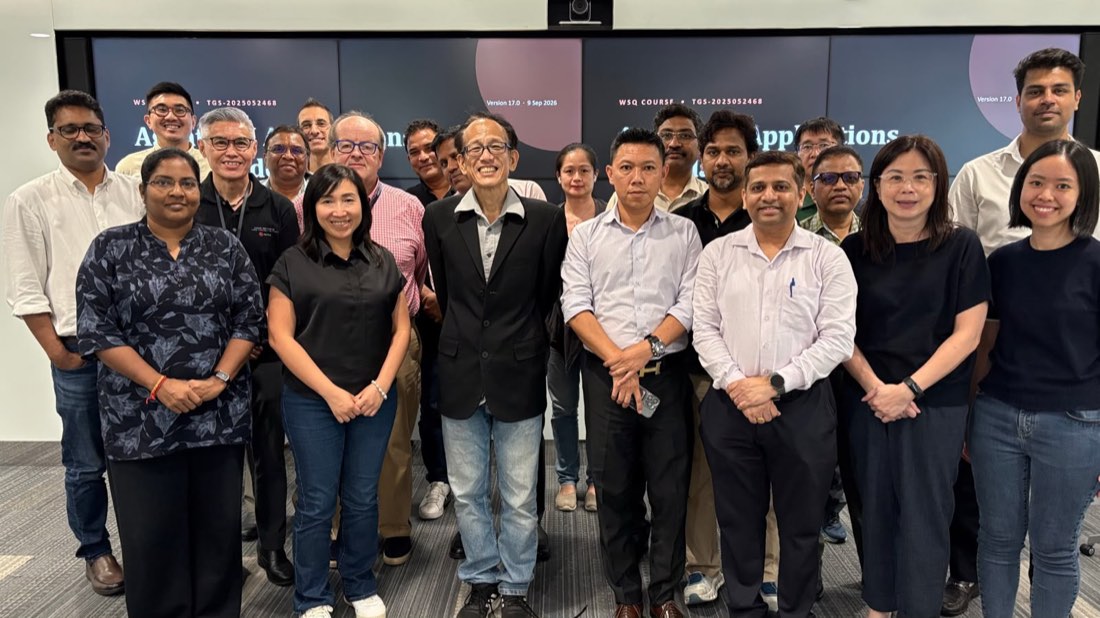
Yesterday we ran our third corporate session of WSQ Agentic AI Applications with Claude Code for UOB — this time for 22 staff from IT operations, led by Dr Alfred Ang. The first two cohorts built things: an IT support ticketing app, then a PMO Kanban board. This group went after something less visible and, for an operations team, more valuable: when an agent should act, and what pulls the trigger.
The reason is the audience. IT operations does not lack for automation — it is buried in it. Runbooks, scheduled jobs, alert rules, ticket workflows. What an ops engineer has learned the hard way is that automation which fires at the wrong moment is worse than no automation at all. So the question that matters is not “what can the agent do?” but “what causes it to do anything?” Get the trigger model wrong and you have built an unpredictable colleague. Get it right and you have built a dependable one.
The agentic loop: the one idea everything else hangs off
We started where the course always starts, because nothing downstream makes sense without it. A chatbot completes a turn: you ask, it answers, the exchange is over. An agent runs a loop: it takes a goal, decides on an action, uses a tool, reads what came back, and decides again — repeating until the goal is met or it hits a limit you set.
That single structural difference is what makes the rest of the day necessary. A thing that answers needs a good question. A thing that acts repeatedly, on your systems, needs boundaries: what it may touch, what standards it follows, what must be checked, and when it is allowed to start at all. The room took the point quickly — an ops team already thinks in terms of blast radius and change control. Agentic AI does not remove that discipline. It relocates it into the way you configure the agent.
We also spent time on the loop’s failure mode, because it is the honest part. An agent that cannot tell whether it succeeded will loop confidently in the wrong direction. Giving it a real way to check its work — run the test, re-read the file, query the endpoint — is not an optimisation. It is the difference between an agent that converges and one that drifts.
Five trigger mechanisms, and why the differences matter
Here is the frame that organised the whole day, and the one the class said they would take back to their desks. Claude Code’s extension points are usually taught as a feature list. They are much clearer when you sort them by what fires them, because that is the property that decides which one you should reach for.
1. CLAUDE.md — always in effect
A CLAUDE.md file is project memory. It is loaded into context every single time, without being asked for and without anything having to match. That makes it the right home for the things that are true unconditionally: how this system is laid out, which conventions are non-negotiable, which directories are off limits, what “done” means here.
The corollary is the part people miss. Because it is always loaded, it is always costing you context — so a bloated CLAUDE.md makes the agent worse, not better. We framed it for the ops audience as standing orders: short, stable, and binding on every task. If a rule only applies to one kind of job, it does not belong here.
2. Tools and skills — triggered on demand
Tools and skills are pulled in when they are relevant. A tool is a capability the agent can invoke — read a file, run a command, query a database, drive a browser through MCP. A skill is packaged expertise: a body of instructions the agent loads only when the task at hand matches its description.
On-demand loading is what makes this scale. You can have fifty skills covering fifty procedures and pay for none of them until one applies. For an operations team, that maps onto the runbook shelf almost perfectly: nobody reads every runbook every morning; you reach for the one the situation calls for. The class encoded one of their own procedures as a skill and watched the agent pick it up unprompted simply because the task description matched — which is exactly the behaviour you want, and also exactly why a skill’s description deserves as much care as its contents.
3. Hooks — triggered by events
Hooks are the mechanism that made this room sit up. A hook is a script wired to an event in the agent’s lifecycle — before a tool runs, after a file is edited, when a session ends. It fires deterministically. The model does not decide whether to honour it, and cannot forget.
That distinction is everything in a regulated environment. Instructions in CLAUDE.md are guidance the model is very likely to follow. A hook is a control that executes whether or not the model cooperates. If a command must never run against production, do not write that down and hope — put a hook in front of the tool call and block it. If every edit must be linted, do not remind the agent — run the linter on the post-edit event. As one participant put it, this is the difference between a policy and a preventive control, and their auditors care a great deal about which one they are looking at.
4. Slash commands — triggered manually
A custom slash command is a prompt you have saved and named. Nothing fires it but a human typing it. That makes it the right shape for a recurring task where you decide the moment: the morning health sweep, the incident write-up, the change-request summary.
The value for a team is standardisation. The best version of a procedure — the prompt someone refined over a dozen incidents — stops living in that person’s head and becomes something everyone invokes identically. Same words, same steps, same output format, whoever is on shift.
5. Subagents — triggered by delegation
A subagent is invoked by the main agent handing work off. It gets its own context and its own brief, does the job, and reports back a result rather than a transcript.
Two reasons this matters, and the class met both. The practical one is context: a long investigation that would otherwise flood the main session can be delegated, with only the conclusion coming back. The organisational one is independence — a reviewer subagent reads the work with fresh eyes and no attachment to the decisions that produced it. In our session a review agent caught an issue the room had already read past, which is a familiar feeling to anyone who has ever peer-reviewed their own change.
The mechanism, at a glance
- CLAUDE.md — always triggered. Standing context, loaded every time. Keep it short, because it always costs you.
- Tools and skills — triggered on demand, when the task matches. Scales to many procedures; the description is what gets it selected.
- Hooks — triggered by events. Deterministic and unskippable, so this is where enforceable controls belong.
- Commands — triggered manually. A human picks the moment; the procedure stays identical across the team.
- Subagents — triggered by delegation. Isolated context and independent review.
Read as a list of features, these five overlap confusingly. Read as five different triggers, the design question answers itself: decide when the behaviour should fire, and the mechanism follows. A rule that must always hold is memory. A procedure needed occasionally is a skill. A rule that must never be skipped is a hook. A task a human initiates is a command. A job needing isolation or a second opinion is a subagent.
What the group took away
- A working mental model of the agentic loop — goal, action, tool, observation, repeat — and why verification is what keeps it from drifting.
- The five trigger types, and the habit of choosing a mechanism by asking what should fire it.
- Hands-on practice writing a
CLAUDE.md, a skill, a hook and a custom command against a real project. - A governance point that lands hard in a bank: guidance in a prompt is advisory, a hook is enforceable.
- Delegation as a design tool, not just a performance trick — independent review is worth more than the context it saves.
Bring this class to your team
This was the third UOB cohort through this course, and each one built something different because the format is chosen to match the audience — IT support built a ticketing app, infrastructure and development built a PMO Kanban board, and IT operations worked the trigger model. We run the same session on-site for teams across banking, government and industry, and the public schedule of WSQ Agentic AI Applications with Claude Code (TGS-2025052468) is open for individual sign-ups.
Because it is WSQ-accredited, eligible Singaporeans and PRs pay a nett fee of $295 after 50% funding, or $195 under MCES / SME funding at 70% (full fee $500 before GST). SkillsFuture Credit and PSEA may be used to offset the balance, and sponsoring employers may claim absentee payroll and tap the SkillsFuture Enterprise Credit.
Frequently asked questions
What is the difference between a skill and a CLAUDE.md file?
The trigger. CLAUDE.md is loaded into every session automatically, so it suits rules that always apply — and because it is always loaded, it should stay short. A skill is loaded only when the task matches its description, so it suits procedures needed occasionally. Put standing orders in memory; put specific playbooks in skills.
Why use a hook when I could just write the rule in CLAUDE.md?
Because a hook is deterministic. Text in CLAUDE.md is an instruction the model is very likely to follow; a hook is a script that runs on an event whether or not the model cooperates. For anything that must never be skipped — blocking a dangerous command, forcing a check after every edit — use a hook. That is the difference between a policy and an enforceable control.
Do participants need to be developers?
No. The class is written for IT professionals broadly — operations engineers, infrastructure staff, developers, project managers and analysts attend side by side, as these three UOB cohorts did. Claude Code takes instructions in plain English; what the course teaches is how to brief, constrain and verify the work, not how to type the code yourself.
Can we choose our own build project for a corporate run?
Yes — that is the point of the on-site format. Each UOB cohort worked on something different. Tell us what your team deals with daily and we will anchor the day on that.
Is the course WSQ funded?
Yes. It is WSQ-accredited (TGS-2025052468). Eligible Singaporeans and PRs get 50% funding, rising to 70% under MCES or SME funding. SkillsFuture Credit and PSEA can offset the fee payable after funding, and sponsoring employers may claim absentee payroll and SFEC where eligible.
How long is the course, and can it run in the evening?
The public class runs as a full day, 9:30am to 6:30pm, with an evening option split across two sessions from 6:00pm to 10:00pm. Corporate runs at your premises are scheduled to suit your team.
